AI Text to Image Generator
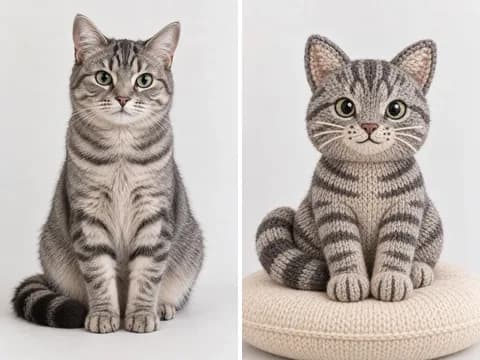
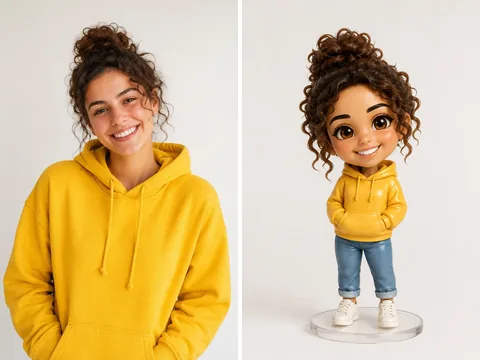
AI Image Gallery — See What You Can Create
Hover over any image to see the prompt. Click to try it yourself.

a young woman with freckles in golden hour sunlight, shallow depth of field, natural portrait photography, soft bokeh background, warm tones
Click to use >
an artisan chocolate cake on a rustic wooden table, dark moody food photography, steam rising, top-down angle, editorial restaurant style
Click to use >
a model wearing an oversized beige trench coat walking in rain, street fashion photography, cinematic mood, wet reflections on pavement
Click to use >
a cozy Scandinavian living room with floor-to-ceiling windows, morning light, minimalist furniture, indoor plants, architectural interior photography
Click to use >
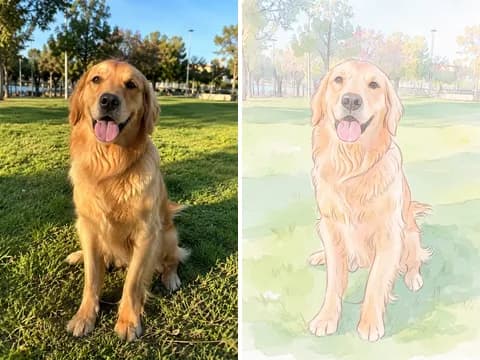
a golden retriever puppy sitting in a field of wildflowers, soft natural light, shallow depth of field, heartwarming pet portrait
Click to use >
a cyberpunk samurai girl standing on a neon-lit rooftop at night, rain falling, glowing katana, detailed anime illustration style, vibrant colors
Click to use >
an ancient dragon perched on a crystal mountain peak, magical aurora in the sky, epic fantasy art, cinematic lighting, ultra detailed
Click to use >
a futuristic glass skyscraper reflecting sunset clouds, dramatic low angle shot, architectural photography, golden hour, ultra modern city
Click to use >
a diamond ring floating on dark water surface, dramatic studio lighting, luxury jewelry product photography, reflections and sparkles
Click to use >
a vertical waterfall cascading through a misty tropical rainforest, lush green ferns, long exposure, nature landscape photography
Click to use >
a cute robot character holding a glowing flower in a miniature garden, Pixar style 3D render, soft pastel lighting, whimsical atmosphere
Click to use >
a retro-futuristic space travel poster for Mars, bold typography, vintage NASA style illustration, vibrant orange and navy color palette
Click to use >
an athlete mid-jump doing parkour between concrete buildings, dynamic action shot, urban sports photography, dramatic perspective, motion blur
Click to use >
a Venice canal scene with gondolas at sunset, loose expressive watercolor painting style, soft color bleeding, artistic brush strokes, warm palette
Click to use >
a luxury skincare bottle on a marble table, soft natural light, editorial product photography, premium beauty campaign, high detail
Click to use >
a futuristic floating city at sunset, cinematic atmosphere, glowing transport lines, detailed skyline, concept art style
Click to use >Why Choose Imgveo AI as Your AI Image Generator
Built for speed, quality, flexibility, and commercial-ready output.
Fast AI Text to Image Generation
Generate multiple visual directions in seconds and move from idea to usable output without a heavy design workflow.

Flexible AI Image Generator Workflow
Use styles, aspect ratios, and prompt variations to create visuals for social content, blogs, ads, websites, and branded campaigns.

High-Quality AI Photo Generator Results
Create polished, photo-like imagery and prompt-aligned visuals that work for marketing, product storytelling, and commercial content.

How to Use the Text to Image Generator

Write a Clear Prompt
Describe the subject, setting, style, lighting, and mood you want to generate. Specific prompts usually create stronger results.
Choose Style and Aspect Ratio
Match the output to social posts, blog covers, ads, product shots, or landing pages with the right style and layout.
Generate Your Images
Use AI text to image generation to create multiple visual directions in seconds and compare different prompt outcomes.
Download and Use
Refine, regenerate, and download images for campaigns, websites, creative work, and fast visual iteration.
Prompt Tips for Better Text to Image Results
A better prompt usually produces a better image. These tips help users get more accurate and more useful results from an AI text to image workflow.

Be Specific About the Subject
Instead of using a short phrase, describe the main object clearly. Mention details like material, pose, environment, or emotion to guide the AI image generator toward a stronger result.
Add Style, Lighting, and Mood
Words like cinematic, editorial, minimalist, dramatic, soft light, neon, and luxury help shape the visual direction and improve both creative and commercial output.
Describe the Background and Composition
Mention close-up, wide shot, centered composition, blurred background, top-down view, or clean studio backdrop. These details make a text to image prompt more controllable.
Refine and Regenerate
The first output is not always the best one. Test prompt variations, adjust wording, and regenerate until the image fits your exact use case.
Best Use Cases for AI Text to Image
Social Media Graphics
Create visuals for Instagram, X, LinkedIn, TikTok, Pinterest, and short-form campaigns.
Product Concepts and Mockups
Visualize packaging ideas, branded product scenes, and early-stage mockups before production.
Creative Concepts
Explore storyboards, concept art, moodboards, and campaign directions with a faster image workflow.
Blog and Editorial Images
Generate original visuals for blog posts, guides, newsletters, and educational content.
Website and Landing Page Visuals
Produce hero images, section graphics, and branded visuals that feel more original than stock assets.
Marketing and Ad Creatives
Build paid ad concepts, promotional graphics, and campaign images for high-volume content workflows.
Related Tools and Next Steps
This text to image page is only one part of the Imgveo AI workflow. Use these links to move into deeper image creation, video generation, and plan comparison.
Explore the Advanced Image Workspace
Open the full image workspace to compare prompts, generate more results, and keep creating with Imgveo AI.
Open AI Image WorkspaceTurn Images Into Video
Use the visuals you generate here as creative starting points for image-to-video and text-to-video workflows.
Go to Video GeneratorSee Plans and Credits
Compare plans, check what each tier unlocks, and see how credits scale for heavier content production.
Compare PricingFrequently Asked Questions
Want every AI model in one place?
Open Imgveo Studio to run this and every other AI video and image model from a single workspace, with one credit balance.
Create the image first, animate it later
Use Imgveo AI's AI text to image workflow to shape the concept, then continue into video generation when you want motion, story, and campaign-ready assets.