
How Much Do AI Videos Really Cost? (Per-Usable-Clip Math)
Sticker prices lie. Here's what AI video generation really costs per usable clip — billing models, failure rates, budgets by use case, and how to save.
How Much Do AI Videos Really Cost? The Per-Usable-Clip Math
Every pricing page answers the same question: what does one generation cost? Almost none answer the question you actually have: what does one video I can actually publish cost?
Those are different numbers — sometimes very different — and the gap between them is where AI video budgets quietly die. This guide gives you the honest math: how much AI video generation costs across billing models, what moves the price, how failure rates inflate your real spend, and how to budget for three common use cases.
All figures are checked as of July 2026; where we cite our own credit prices, they're the same public numbers shown live in the Studio before every generation.
Let's break it down:
Chapter 1: The Short Answer
A single short AI video clip costs anywhere from well under a dollar to several dollars — the model tier decides which end you're on.
How much does AI video generation cost?
On credit-based platforms, a 4–5 second clip typically costs between a few cents and a few dollars depending on model tier, resolution and duration. Entry tiers at 480–720p sit at the low end; flagship cinematic models at 1080p–4K with audio sit at the top. Subscriptions lower the effective per-clip price versus one-time purchases.
Here's a concrete, public anchor: on Imgveo, an entry-tier 480p clip starts at 20 credits. On the Starter plan ($19.90 for 1,500 monthly credits), that's about $0.27 per clip. Flagship-tier cinematic generations cost multiples of that — the exact credit price is displayed before you click Generate, which is exactly how it should be everywhere.
The three numbers to grab from any pricing page
Skip the feature grids. Every pricing decision reduces to three numbers:
- Dollars per credit — plan price ÷ monthly credits. This is the exchange rate everything else converts through.
- Credits for your typical clip — not the cheapest example on the homepage; the tier, resolution and duration you'll actually use.
- The expiry window — a great rate on credits you won't spend in time is not a great rate.
Divide, multiply, done. Two minutes with those three numbers beats an hour of comparing feature checklists.
But here's the kicker:
The sticker price is only half the equation. The other half is how many generations you keep — and that's Chapter 4.
Chapter 2: The Three Billing Models
Every platform wraps the same generation in one of three billing models — pick by usage pattern, not by headline price.

Subscription credits
A monthly allowance at the best price per credit. Built for regular creators: the more consistently you produce, the more the math favors a plan. The trade-off is expiry — monthly credits typically reset on a cycle (30 days is common, including here).
One-time credit packs
Buy a block when you need it, no renewal. Packs usually cost more per credit than plans but forgive irregular schedules, and often expire on a longer clock (90 days here). Right for one-off projects and topping up a plan during a heavy month.
Per-second API pricing
Raw model access billed by output seconds — for reference, Google's public API pricing for Veo runs on the order of tens of cents per second of generated video. It scales cleanly for developers, but you're building the uploader, queue, storage, retries and player yourself. For creators, platforms bundle all of that into the credit price.
The free-tier question
Free tiers exist to answer one question: what does your real usage look like? Use the free allowance to measure how many generations your typical piece of content actually takes — that number, not the marketing page, is what you should size a paid plan around. A week of honest free-tier use beats any pricing spreadsheet.
Which wrapper wins?
| You are… | Best model | Why |
|---|---|---|
| Publishing weekly or more | Subscription | Lowest $/credit, predictable |
| Doing one campaign or project | Credit pack | No commitment, longer expiry |
| Shipping your own app | Per-second API | Usage-based, full control |
| Testing the waters | Free tier first | Learn your real usage before paying |
Chapter 3: What Actually Moves the Price
Five dials set the cost of any single clip — and they compound.

Model tier — the 10× lever
The spread between an entry tier and a flagship cinematic model is routinely an order of magnitude. This is the first dial to get right: paying flagship prices for a background loop is the most common budget leak in AI video.
Match tier to the job — a quick tier tour lives on our model pages, from budget-friendly Seedance to flagship Veo 3.1.
Resolution — 2–4× per step
480p → 720p → 1080p → 4K each step multiplies cost. The discipline that saves the most money: draft at low resolution, regenerate only the keeper at publishing quality.
Duration — linear on per-second tiers
Several modern tiers bill per second of output. An 8-second clip literally costs double a 4-second clip. Script tight; generate what the edit needs.
Audio — up to 2× on some tiers
Generated audio doubles the price on certain tiers. If you're adding your own narration or music track anyway (most faceless and ad workflows do), turn generation audio off and pocket the difference.
Retries — the silent 1.3–1.5×
Nobody's first roll is always a keeper. Budgeting without a retake factor is how a "$20 month" becomes a $32 month. Multiply every estimate by 1.3–1.5 — or better, use platforms where failed generations refund automatically so retries only apply to creative re-rolls, not technical failures.
Chapter 4: The Per-Usable-Clip Formula
True cost = sticker price ÷ success rate. This one line explains why two platforms with identical pricing pages can cost you very different amounts.

Why success rate belongs in the price
Two things can eat a generation: technical failure (the job errors out) and creative miss (it worked, but it's not usable). They hit your wallet differently:
- On a platform that refunds failed generations automatically, technical failures cost you nothing — the success rate in your billing math is effectively 100%, and only creative re-rolls remain.
- On a platform that keeps credits from failed jobs, every published clip silently carries the corpses of the failed ones. At a 70% success rate, your true cost is sticker ÷ 0.7 — about 1.43× the advertised price, before a single creative retry.
Why does this matter so much?
Because community forums are full of exactly this complaint — creators discovering that peak-hour failures were charging them full price for nothing. It's the single most under-weighted line item in AI video budgeting, and pricing pages never mention it.
The two questions that reprice everything
Before trusting any platform's pricing math, get written answers to:
- Do failed generations refund automatically? (Here: yes — failures return credits without a support ticket.)
- What counts as "failed"? A job that errors is clear-cut; a job that times out or returns a corrupted file should count too.
A platform can charge 20% more per clip and still be cheaper per usable clip if its refund policy is honest. Run the division before you compare stickers.
Chapter 5: Budgets by Use Case
Translate your month into clips first, then pick the plan that covers that number with ~20% headroom.

The social side-hustle (≈12 clips/month)
Three short clips a week at 720–1080p on budget-to-mid tiers. With drafts included you'll run ~18 generations. Entry plans cover this comfortably — at Starter-plan credit prices, entry-tier clips land around a quarter-dollar each, so the whole month's raw generation cost is coffee money. The real investment is your time.
The faceless channel (≈90 clips/month)
Two longform videos a week via the clip-stitch approach — we ran the full worksheet in the faceless YouTube guide: 2 videos × 8 clips × 1.4 retakes ≈ 90 generations monthly, mixing cheap draft tiers with a few hero-quality shots. This is squarely mid-plan territory; going flagship-tier for every clip would triple the budget for marginal on-screen gain.
E-commerce creative testing (≈40 clips/month)
Five SKUs, six to eight scene/ratio variants each, 1080p standard with 4K for hero placements — the batching logic from our product video guide. Forty-odd clips plus some image-editing cleanup sits in mid-to-upper plan range, and replaces a per-SKU studio bill that used to start in the hundreds of dollars.
Top up or upgrade?
When you outgrow a plan mid-month, you have two moves. Top up with a pack when the overage is a one-off — a launch month, a seasonal campaign — because packs carry no commitment and a longer expiry clock. Upgrade the plan when you've exceeded the allowance two months running: at that point the plan's better per-credit rate beats repeatedly buying packs, and the difference compounds every month you stay at the higher volume.
The plan-sizing rule
Whatever your scenario: count clips, multiply by your typical credit price, add 20% headroom, and check it against current plan credits. Undersizing forces mid-month pack top-ups at worse rates; oversizing donates expired credits back to the platform.
Chapter 6: How AI Stacks Up Against Stock, Studio and Animation
The honest comparison isn't AI vs. free — it's AI vs. what video used to cost. Put the alternatives side by side and the disruption is obvious:
| Route | Typical cost for one short clip | Turnaround | Iteration cost |
|---|---|---|---|
| AI generation | cents to a few dollars | minutes | same price, every retry |
| Stock footage license | $50–$200 per clip | instant | new license per clip |
| Freelance videographer | $300–$1,500 per deliverable | days–weeks | re-shoots billed again |
| Studio production | $1,000+ per finished clip | weeks | change orders |
| Custom animation | $500–$5,000 per minute | weeks | revisions billed hourly |
Three observations worth internalizing:
Iteration is where AI's advantage explodes. A studio re-shoot costs what the first shoot cost. An AI re-roll costs one more generation. Creative testing — ten variants, keep two — is economically absurd in traditional production and routine with AI.
Stock's hidden cost is sameness. The $79 stock clip you licensed is in a hundred other brands' ads. Generated footage is yours alone, at a fraction of the price.
Where traditional still wins: real product macro photography, real human testimonials, brand films where a director's eye is the product. The smart budget uses AI for volume and variants, and saves traditional spend for the few pieces where authenticity is the message.
Chapter 7: Six Ways to Cut the Bill
Most teams can cut 30–50% of AI video spend without producing less. In rough order of impact:
- Draft low, finalize high. Test motion and composition at 480–720p; regenerate only winners at 1080p+. Single biggest saver.
- Match tier to shot importance. Flagship models for the three seconds that carry the emotion; budget tiers for b-roll and backgrounds.
- Turn off generated audio when you're adding your own. Free money on tiers where audio doubles cost.
- Cut duration before quality. A tight 5-second clip at high quality beats a meandering 10-second clip at medium — and costs the same or less.
- Reuse structural footage. Intros, transitions and branded stingers get generated once, used forever.
- Time your expiry clocks. Subscription credits on a 30-day cycle should be spent down each month; save pack credits (longer expiry) as the buffer, not the base.
Chapter 8: The Comparison-Shopping Checklist
Six questions expose the true price of any AI video platform in five minutes.

- Do failed generations refund automatically? The Chapter 4 multiplier. Non-negotiable.
- When do credits expire? 30-day plan cycles are standard; check whether pack credits get a longer clock (they should).
- Where does the watermark end? A "free" clip you can't publish isn't free. Confirm which tier exports clean.
- Are commercial rights included? Selling with ads requires it; some platforms gate it behind higher tiers.
- Per clip or per second — and is the price shown before generating? Surprise billing is a policy choice. Live price display is the honest pattern.
- What happens at peak hours? Ask about queue priority and peak failure behavior — this is where cheap plans sometimes get expensive in hidden ways.
Run any two platforms through these six and the marketing fog clears fast.
Conclusion: Price the Output, Not the Generation
The whole guide in one sentence: count the clips your month actually needs, multiply by honest per-clip prices, divide by your platform's real success economics, and size your plan with headroom.
Sticker prices are marketing. Per-usable-clip cost is accounting. Budget with the second one.
See where your numbers land: every generation on Imgveo shows its exact credit price before you commit — start with the pricing page, then test your first clips in the Studio.
Frequently Asked Questions
How much does it cost to generate an AI video?
A short clip runs from under a dollar on entry tiers to several dollars on flagship cinematic tiers, driven by model choice, resolution, duration and audio. As a public example, an entry-tier 480p clip on Imgveo starts at 20 credits — roughly $0.27 at Starter-plan credit prices.
Are AI video generators worth it?
For product videos, social content and channel b-roll, the math is decisive: per-clip costs are a small fraction of stock licensing or studio production, with unlimited iteration. They're least cost-effective when you need one very specific long-form shot that would take many re-rolls to hit.
Why do AI video generators use credits?
Generation cost varies enormously by model tier, resolution and duration — credits let one balance cover a cheap draft and an expensive flagship clip on the same plan. The system is fair when the credit price is displayed before generating and failed jobs refund automatically.
Do you get credits back if AI generation fails?
Policy varies by platform, and it changes your real cost more than any discount. Automatic refunds on failure mean you only pay for delivered results; platforms that keep failed-job credits effectively raise their prices by the inverse of their success rate. On Imgveo, failed generations refund automatically.
Is AI video cheaper than stock footage?
Substantially. A licensed stock clip typically runs $50–$200 and appears in countless other brands' content, while a generated clip costs cents to a few dollars and is unique to you. Stock retains an edge only when you need verifiably real footage of real places or people.
What is the cheapest way to make AI videos?
Draft at low resolution on budget tiers, regenerate only approved shots at publishing quality, disable generated audio when adding your own soundtrack, keep clips short, and cover steady volume with a subscription rather than one-time packs. Combined, these habits routinely cut spend by a third or more.
Put the math to work: budget a channel with the faceless YouTube playbook, or scale ad variants with the product video workflow. For the same math run on named platforms, read AI video credits explained.
Author

Categories
More Posts
![How to Start a Faceless YouTube Channel With AI [2026]](/_next/image?url=%2Fimages%2Fblog%2Ffaceless-youtube-channel-with-ai%2Ffaceless-youtube-channel-ai-cover.svg&w=3840&q=75 "How to Start a Faceless YouTube Channel With AI [2026]")
How to Start a Faceless YouTube Channel With AI [2026]
The full faceless YouTube playbook: niches that work, the AI content pipeline, stitching 8-second clips into videos, real monthly costs and 2026 rules.
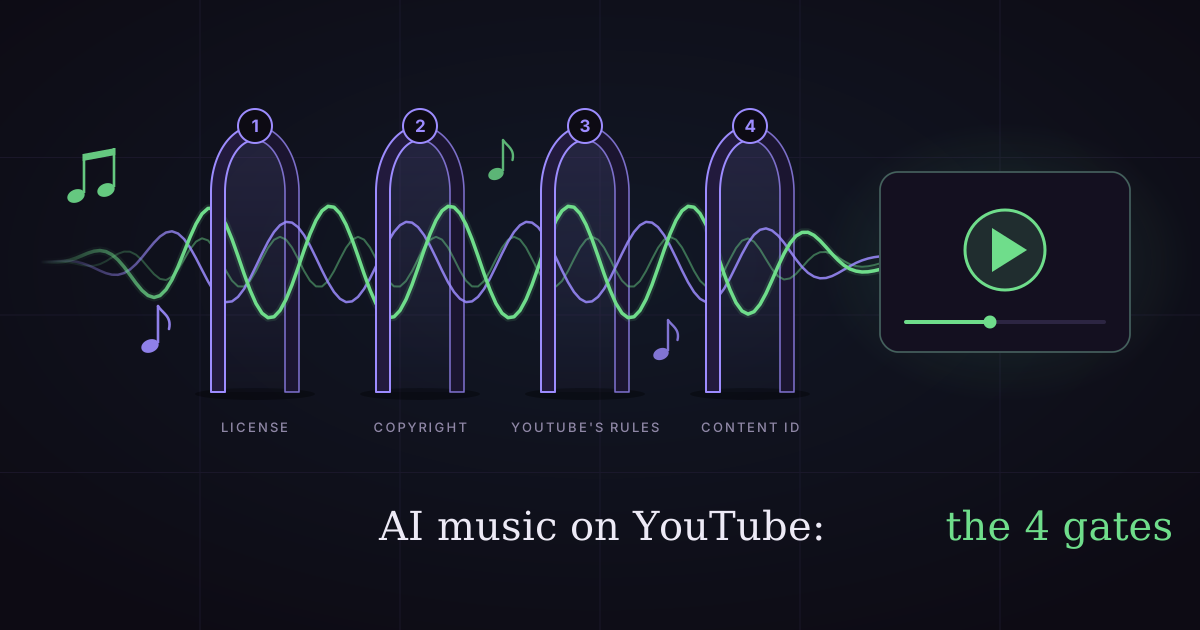
Can You Use AI Music on YouTube? (Copyright & Money, 2026)
Yes, but four gates decide whether an AI song can earn money on YouTube: your license, copyright, YouTube's AI rules and Content ID. Full checklist inside.

Best AI Video Generators With Native Audio (2026 Compared)
Which AI video generators produce sound — dialogue, SFX, ambience, music — in one pass? We compare Veo 3, Kling 3, Kling 2.6 and Seedance 2, plus what audio adds to the bill.