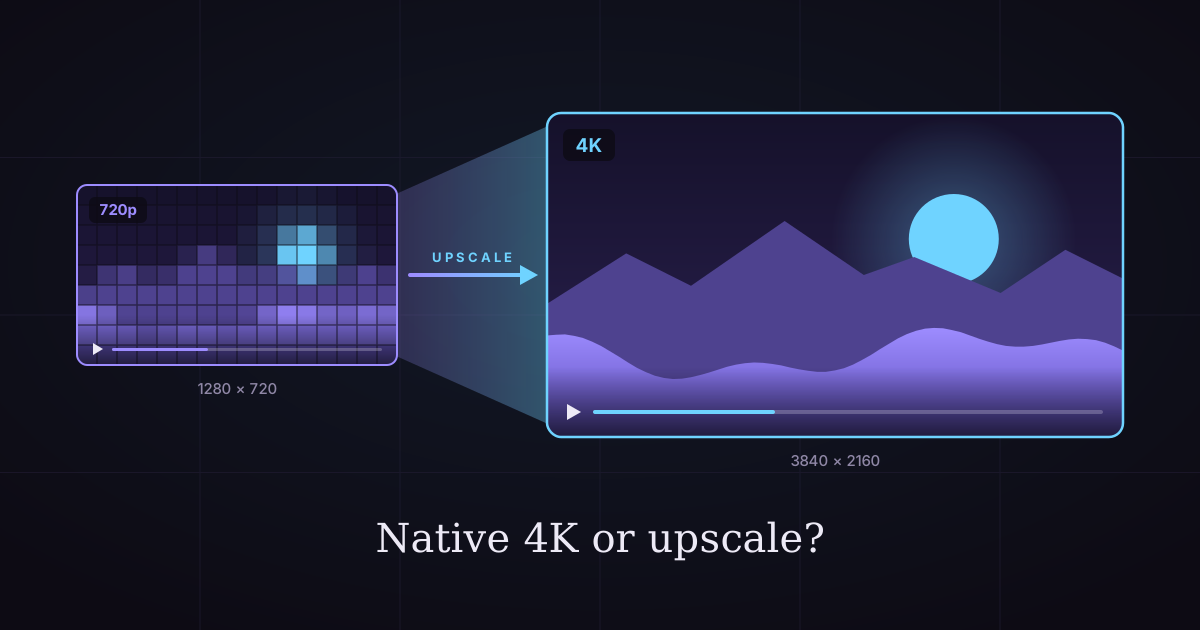
Native 4K vs Upscaled AI Video: Cost & Quality Compared
Should you generate AI video in 4K or upscale it? We priced 17 models both ways: upscaling saves up to 78% on some, costs more on others.
Native 4K vs Upscaled AI Video: Which Is Cheaper, and When Does It Matter?
Every AI video model shows you a resolution menu, and the top option always costs the most. On some models, 4K costs up to eight times as much as 720p. On others, the bigger size is almost free.
So should you render the final size directly, or generate small and upscale later? The native 4K vs upscaled question has a real answer, and it depends on how your model prices resolution.
We sell both AI video generation and video upscaling, so we priced one clip both ways on 17 models (5 seconds, or the model's fixed clip length). For resolution-priced models like Seedance 2, upscaling cuts the bill by up to 78%. For flat-priced models like Veo 3.1, native wins at 1080p.
This guide gives you the rule, the full price table, real before-and-after crops, and the cases where native is worth every credit. Prices were checked on October 21, 2026.
Let's start with the short answer.
The short answer: native 4K vs upscaled
Native 4K is rendered by the video model at full resolution, so every detail is real. Upscaled 4K is a smaller clip enlarged by a second AI model, which rebuilds the edges and texture it predicts should be there.
Native looks better on close inspection. Upscaled is often far cheaper and good enough on phones, laptops and most TVs.
That's the quality side. Price is where it gets interesting.
What "native" means in AI video
A native 4K clip comes straight out of the generator at 3840 × 2160 pixels (for 16:9). The model draws every frame at that size, so fine texture like hair, fabric and sand is part of the original render.
What "upscaled" means
An upscaled clip starts smaller, often 720p or 1080p, and goes through a separate video upscaler. The upscaler looks at each frame and its neighbors, then redraws a larger frame with sharper edges and rebuilt texture.
Why the difference matters for your budget
Generation is priced by pixels on many models, and 4K has nine times the pixels of 720p. Upscaling is priced per second regardless of which model made the clip. That gap is what the rest of this guide is about.

The 3-and-9 Rule
Upscaling a clip to 1080p costs 3 credits per second, and to 4K it costs 9 credits per second. If your model charges more than that extra for the bigger size, generate at 720p and upscale. If it charges less, render native.
That's the whole rule. Here's how to apply it in under a minute.

Step 1: find the 720p price
Look up what your model charges per second at 720p (or its smallest HD size). On Seedance 2, that's 36 credits per second.
Step 2: find the price at your target size
Look up the per-second price at 1080p or 4K. On Seedance 2, 4K costs 200 credits per second.
Step 3: compare the difference to 3 or 9
The 4K premium on Seedance 2 is 164 credits per second, and upscaling to 4K costs 9. Upscale.
On Veo 3.1 Fast, 1080p costs less than 1 credit per second more than 720p, and upscaling to 1080p costs 3. Render native.
Why per second and not per clip
Upscaling is billed by the second of video you upload, rounded to whole seconds. Generation is billed per second on most models and per clip on a few. Converting both to "per second" puts them on the same scale.
The cost math, model by model
For clips of 4 to 8 seconds, upscaling to 4K is cheaper than native 4K on every 4K model we sell, and native 1080p beats upscaling on only three models: Vidu Q3 Pro, Gemini Omni 1.1 and Veo 3.1. Here's the full table.
720p + upscale vs native 1080p
| Model | 720p clip | Native 1080p | 720p + 1080p upscale | Cheaper route |
|---|---|---|---|---|
| Seedance 2.5 | 235 | 790 | 250 | Upscale (−68%) |
| Seedance 2 | 180 | 450 | 195 | Upscale (−57%) |
| Luma Ray 3.2 | 60 | 240 | 75 | Upscale (−69%) |
| FLUX 3 Video | 170 | 290 | 185 | Upscale (−36%) |
| Wan 3.0 | 80 | 160 | 95 | Upscale (−41%) |
| Wan 3.0 Prime | 130 | 255 | 145 | Upscale (−43%) |
| PixVerse V6 | 40 | 75 | 55 | Upscale (−27%) |
| LTX 2.5 Fast | 30 | 60 | 45 | Upscale (−25%) |
| Wan 2.7 | 80 | 120 | 95 | Upscale (−21%) |
| Vidu Q3 Turbo | 60 | 80 | 75 | Upscale (−6%) |
| HappyHorse 1.1 | 115 | 145 | 130 | Upscale (−10%) |
| Kling 3.0 Turbo | 90 | 115 | 105 | Upscale (−9%) |
| Kling 3.0 Omni | 70 | 90 | 85 | Upscale (−6%) |
| Kling 3.0 (std 720p vs pro 1080p) | 70 | 90 | 85 | Upscale (−6%) |
| Vidu Q3 Pro | 150 | 160 | 165 | Native (−3%) |
| Gemini Omni 1.1 (4 s) | 65 | 65 | 77 | Native (−16%) |
| Veo 3.1 Fast (8 s) | 60 | 65 | 84 | Native (−23%) |
| Veo 3.1 Lite (8 s) | 30 | 35 | 54 | Native (−35%) |
All prices are Imgveo credits for one clip without sound. One credit is about $0.0133 on the Starter plan.

720p + upscale vs native 4K
| Model | Native 4K | 720p + 4K upscale | Saving |
|---|---|---|---|
| Seedance 2 (5 s) | 1,000 | 225 | −78% |
| Kling 3.0 Omni (5 s) | 335 | 115 | −66% |
| Kling 3.0, 4K mode vs std 720p + upscale (5 s) | 335 | 115 | −66% |
| LTX 2.5 Fast (5 s) | 240 | 75 | −69% |
| Veo 3.1 Lite (8 s) | 180 | 102 | −43% |
| Veo 3.1 Fast (8 s) | 220 | 132 | −40% |
| Gemini Omni 1.1 (4 s) | 150 | 101 | −33% |
| Gemini Omni 1.1 (10 s) | 210 | 220 | Native is 5% cheaper |

Models that only go up to 720p or 1080p
Some models have no higher size to render, so upscaling is the only route to a bigger file:
- Seedance 2 Fast and Seedance 2 Mini stop at 720p
- Runway Gen-4.5 and Grok Imagine Video 1.5 stop at 720p
- Kling 2.6 and Pro render at 1080p only
For these, the question isn't native vs upscaled. It's whether the bigger size is worth 3 or 9 credits per second at all.
What the table tells you
The more a model charges for pixels, the more upscaling saves. Seedance, Luma and FLUX price resolution steeply, so upscaling wins by 36–78%. Veo 3.1 and Gemini Omni charge almost nothing extra for 1080p, so native wins at that size.
There's one surprise:
On Gemini Omni 1.1, a 10-second native 4K clip is cheaper than 720p plus a 4K upscale (210 vs 220 credits). Gemini Omni charges per clip, and the upscaler charges per second, so long Gemini clips favor native.
The Keeper Rule: never upscale a draft
Generate every take at 720p, choose the one you'll use, and upscale only that one. We call it the Keeper Rule, and it's where the real savings are.

Why drafts are the expensive part
Most shots take more than one try. A hand bends the wrong way, the camera drifts, the product label warps. Every retry at native 4K costs the full 4K price.
The math on four takes
Say a shot takes four tries to get right on Seedance 2.
- Native 4K every time: 4 × 1,000 = 4,000 credits
- Four takes at 720p, then upscale the keeper: 4 × 180 + 45 = 765 credits
That's 81% less, and 720p takes usually come back sooner too.
The same rule works for 1080p
On Seedance 2.5, four native 1080p takes cost 3,160 credits. Four 720p takes plus one 1080p upscale cost 955. The keeper looks almost the same in a social feed.
Failed generations on Imgveo are refunded, so a take that errors out costs nothing. The ones that cost you are the takes that work but aren't quite right, and those are the ones to keep small.
For the full cost of iteration, see how much AI videos really cost.
Real before-and-after examples
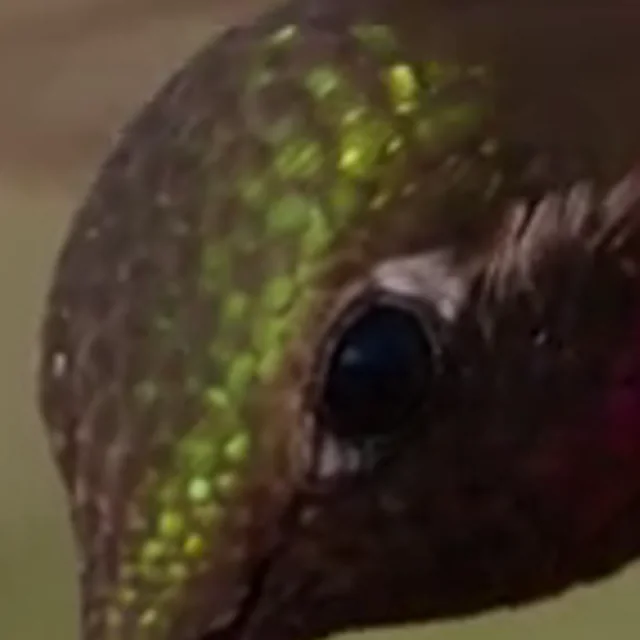
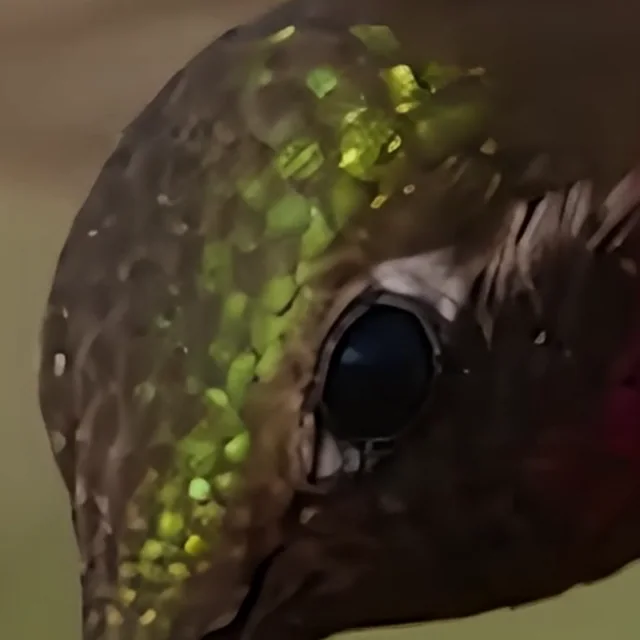
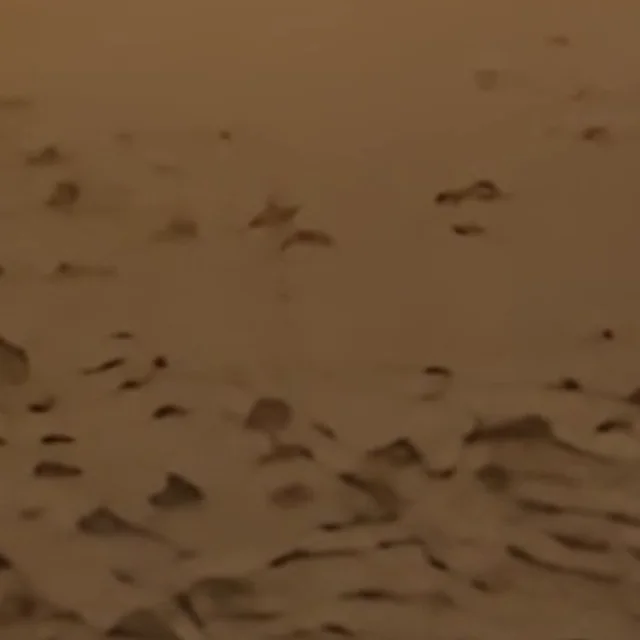
Upscaling made fine texture visibly sharper in our tests, and it could not fix motion blur. These crops come from three short AI clips we upscaled to 4K. Each "before" is the original frame enlarged to the same size for comparison.
Hummingbird: 640 × 640 to 2160 × 2160
A 4-second macro clip, upscaled for 36 credits. Feathers around the eye went from soft smudges to separate strands. Water droplets on the petals gained clean edges.
Desert rider: 960 × 418 to 4964 × 2160
A 4-second ultra-wide clip, also 36 credits. The rider's hat brim and the shrubs on the ground read as real texture after the upscale. The shape of the scene stayed exactly the same.

Vertical dog: 480 × 854 to 2160 × 3840
A 5-second vertical clip, 45 credits. The sidewalk and the cyclist behind the dog got sharper. The dog's face, which was moving fast and already blurred in the source, stayed soft.

What the crops show
Two lessons. Upscaling works best on slow, textured detail: feathers, foliage, fabric, product surfaces. It does nothing for motion blur, because the blur is part of the frame, not missing pixels.
You can drag through all three examples on the AI video upscaler page.
Where native 4K is still worth it
Render native 4K when the shot will be seen large and close, and the texture is the point. Upscaling can't add detail the original render never had.
Hero shots and close-ups
A product close-up for a brand film, a face filling the frame, a landscape for a TV screen. If a viewer will study the texture, the extra cost of native is the cost of the shot.
Fine text and small patterns
Labels, signage, fabric weaves and fine patterns are where upscalers guess. Native renders them as the model intended.
Long clips on per-clip models
As the Gemini Omni example shows, a model that prices by clip rather than by second can make native cheaper on longer clips. Run the 3-and-9 math before you assume.
When upscaling is the smart default
For social feeds, drafts, B-roll, ads that will be compressed by the platform, and anything watched on a phone, generate at 720p and upscale the keeper. Most viewers will never see the difference.
Where 4K actually gets seen
Short-form AI video is mostly watched on phones, in vertical 1080 × 1920 or smaller, where 4K adds little you can see. 4K matters on TVs, large monitors and YouTube.
YouTube
YouTube accepts 4K uploads and recommends a much higher bitrate for them. Its recommended upload encoding settings list 35–45 Mbps for 2160p at standard frame rates, against 8 Mbps for 1080p.
If your audience watches on TVs, a 4K master gives YouTube more picture to work with. If they mostly watch on phones, a clean 1080p upload is enough.
TikTok, Reels and Shorts
Vertical platforms ask for far less. Instagram's help center asks for at least 720 pixels and 30 fps for Reels, and TikTok's ad specs start at 540 × 960 or 720 × 1280 depending on the format. Meta's ad specs recommend 1080 × 1920 for vertical Stories ads.
So for vertical social video, a 1080p upscale is the sweet spot: 3 credits per second, and as much resolution as these platforms usually deliver.
TVs and large monitors
4K UHD is 3840 × 2160 pixels, four times the pixels of 1080p. On a TV or a big monitor, viewers sit close enough to the screen for the extra detail to show. This is where native 4K, or at least a 4K upscale, earns its price.
Match the size to the screen
| Where it plays | Render | Then |
|---|---|---|
| TikTok, Reels, Shorts | 720p | Upscale to 1080p (3 credits/s) |
| Website, ads, LinkedIn | 720p or 1080p | Upscale to 1080p if 720p |
| YouTube, mixed devices | 720p | Upscale to 2K or 4K (5 or 9 credits/s) |
| TV, client master, hero shot | Native 4K where affordable | Or upscale a 1080p render to 4K |
How to upscale an AI video, step by step
On Imgveo, upscaling takes three steps and a few minutes. It works on clips from any generator, not only ours.
Step 1: pick the keeper and download it
Generate your takes at 720p, choose the best, and download the MP4. Trim it to the part you'll use, because the upscaler bills by the second.
Step 2: upload and choose a size
Open the AI video upscaler and upload an MP4 or MOV up to 60 seconds and 100 MB. Pick 1080p, 2K or 4K. The size you pick sets the short side to 1080, 1440 or 2160 pixels, so vertical clips work too.
Step 3: choose the AI video preset and run it
The AI video preset is tuned for generated footage. Most short clips are ready in two to three minutes. The output is a 30 fps MP4 with the original audio.
What it costs
| Length | 1080p | 2K | 4K |
|---|---|---|---|
| 5 s | 15 | 25 | 45 |
| 8 s | 24 | 40 | 72 |
| 10 s | 30 | 50 | 90 |
| 15 s | 45 | 75 | 135 |
| 30 s | 90 | 150 | 270 |
Credits, rounded to whole seconds. Failed runs are refunded.
What upscaling can't fix
An upscaler sharpens what's in the frame, including its mistakes. Fix these in the generator before you upscale.
Motion blur
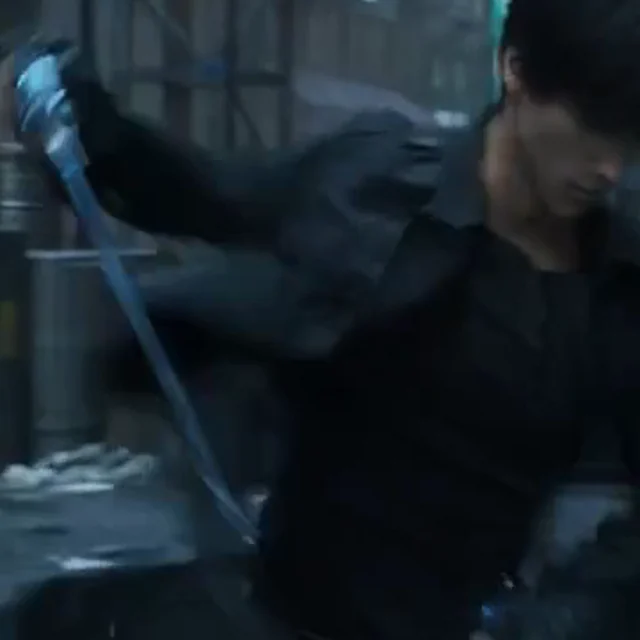
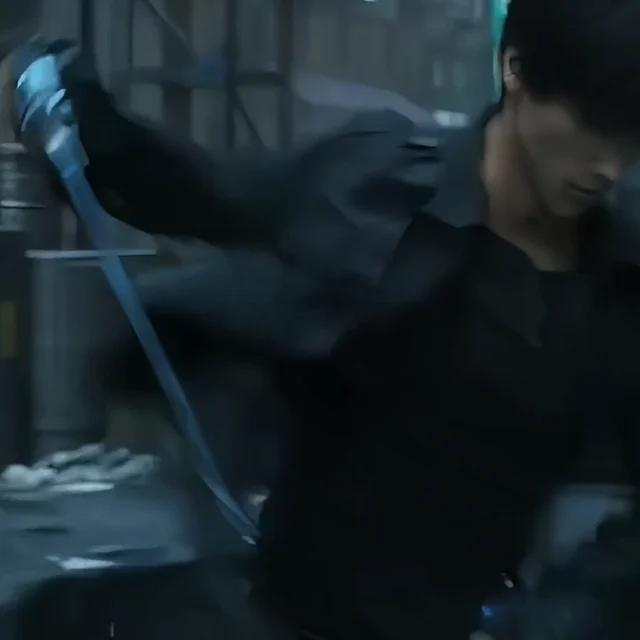
Fast movement leaves blur baked into the frame. Our dog example and a sword-swing test both kept their blur at 4K.
Warped hands and faces
If the model drew six fingers, the upscaler draws six sharper fingers. Regenerate the take.
Burned-in text and heavy compression
Captions baked into the picture get crisper edges, but small text rarely becomes readable. Compression blocks soften but don't disappear.
Faces at extreme enlargement
The bigger the jump, the more the upscaler has to invent. A 720p face enlarged to 4K is a 3× jump in each direction. If faces look waxy, try 2K instead of 4K, or start from a 1080p render.
Troubleshooting upscaled AI video
Most problems with upscaled AI video trace back to the source clip, not the upscaler. Here are the four we see most.
"It looks plastic"
The source was soft and the upscaler sharpened smooth areas into flat surfaces. Start from a cleaner take, or choose a smaller target size.
"It flickers"
Flicker usually exists in the source and becomes easier to see at 4K. Regenerate with steadier lighting words in the prompt, or upscale to 1080p, where it shows less.
"The file is huge"
4K has four times the pixels of 1080p, and file sizes grow with it. Keep the 4K file as your master and export a 1080p copy for social platforms.
"The colors shifted"
The upscaler keeps the colors of the source. If the two files look different side by side, compare them in the same player, since players and editors can display color differently.
FAQ
Is native 4K better than upscaled 4K?
Yes, on close inspection. Native 4K is rendered at full resolution, so fine texture is real, while upscaled 4K rebuilds texture from a smaller frame. On phones and in social feeds, most viewers can't tell them apart.
Is it cheaper to generate in 4K or upscale?
On most models, upscaling is cheaper. A 5-second Seedance 2 clip costs 1,000 credits in native 4K and 225 credits as 720p plus a 4K upscale. Use the 3-and-9 Rule: if native costs more than 9 extra credits per second, upscale.
Which AI video generators produce native 4K?
On Imgveo, six models render native 4K: Seedance 2, Kling 3.0 (4K mode), Kling 3.0 Omni, Veo 3.1, Gemini Omni 1.1 and LTX 2.5 Fast. MiniMax H3 renders 2K. The AI video models comparison lists every model's top resolution.
Can you upscale 1080p to 4K?
Yes. Upload the 1080p clip and pick 4K; the short side becomes 2160 pixels. A 1080p source needs a 2× enlargement, so it usually looks cleaner than a 720p source at 4K.
Does upscaling add real detail?
It adds predicted detail. The upscaler redraws edges and textures it expects to be there, based on training on pairs of low- and high-resolution footage. It can't recover detail that's hidden by blur or never rendered.
Does upscaling change the frame rate?
On Imgveo, every upscale comes out at 30 fps. Clips made at 24 fps get extra in-between frames, so motion looks slightly smoother. The audio track is copied over unchanged.
The bottom line
Native 4K is better, but upscaled 4K is usually the smarter buy. On resolution-priced models like Seedance 2, Luma Ray 3.2 and FLUX 3 Video, generating at 720p and upscaling saves 36–78%. On flat-priced models like Veo 3.1 and Gemini Omni, render native at 1080p.
Apply the 3-and-9 Rule before every final render, and follow the Keeper Rule for every draft. When you have your keeper, upscale it with the AI video upscaler.
Related reading
Author

Categories
More Posts
26 AI Video Models Compared: Specs & Prices (Oct 2026)
26 AI video models on one page: max length, resolution, sound and price per second for Veo 3.1, Kling 3, Seedance 2.5, Wan 3 and more. Updated monthly.

How to Make AI Product Videos From One Photo (6 Scenes)
Turn a single product photo into a scroll-stopping ad video with AI. Scene presets, platform aspect ratios, costs and fixes — the full workflow.
![AI Video Character Consistency: A Cross-Model Guide [2026]](/_next/image?url=%2Fimages%2Fblog%2Fai-video-character-consistency%2Fai-video-character-consistency-cover.svg&w=3840&q=75 "AI Video Character Consistency: A Cross-Model Guide [2026]")
AI Video Character Consistency: A Cross-Model Guide [2026]
Why AI keeps changing your character's face — and the Lock-Then-Animate workflow that fixes it. Reference sets, drift diagnosis, cross-model tactics.