How to Make an AI Music Video (Song to Final Cut, 2026)
Make an AI music video from scratch: write the song, map shots to the beat, make your singer perform and cut on the downbeat. Costs from 520 credits.
How to Make an AI Music Video: From Song to Final Cut With the Beat-Sheet Method
A music video used to need a band, a location, a camera crew and a week of editing. Today you can make one from a single idea: AI writes and sings the song, AI generates every shot, and AI makes your singer perform the lyrics.
Most guides stop at "type a prompt." They don't tell you how to make the shots land on the beat, how to make a character actually sing, or what the whole thing costs.
This tutorial shows you how to make an AI music video from start to finish with one method we call the Beat-Sheet Method. You'll make the song, plan your shots in bars, create a singer who performs the chorus, generate the B-roll, cut it on the downbeat and publish it the right way. We price a 60-second video three ways, from 520 credits.
You don't need any editing skills beyond dragging clips onto a timeline.
What an AI music video is made of
Most AI music videos are built from three parts: the song, performance shots of a singer, and B-roll shots that tell the story around the music. Each part comes from a different AI tool.
The song
An AI music generator writes the music and, if you want, the lyrics, then sings them. You get a finished, mixed track to build everything else around.
Performance shots
These are the shots where a character sings to the camera. You make them by animating a portrait with the song's vocals, so the lips move with the words.
B-roll
Everything else: the city at night, the car on the highway, the hands on the piano. These are short clips generated from a text prompt or a start image, cut to the rhythm of the song.

On Imgveo, all three come from one credit balance: the AI music generator, the AI talking photo tool and AI lip sync for performance, and 26 video models for B-roll.
How to make an AI music video: the Beat-Sheet Method
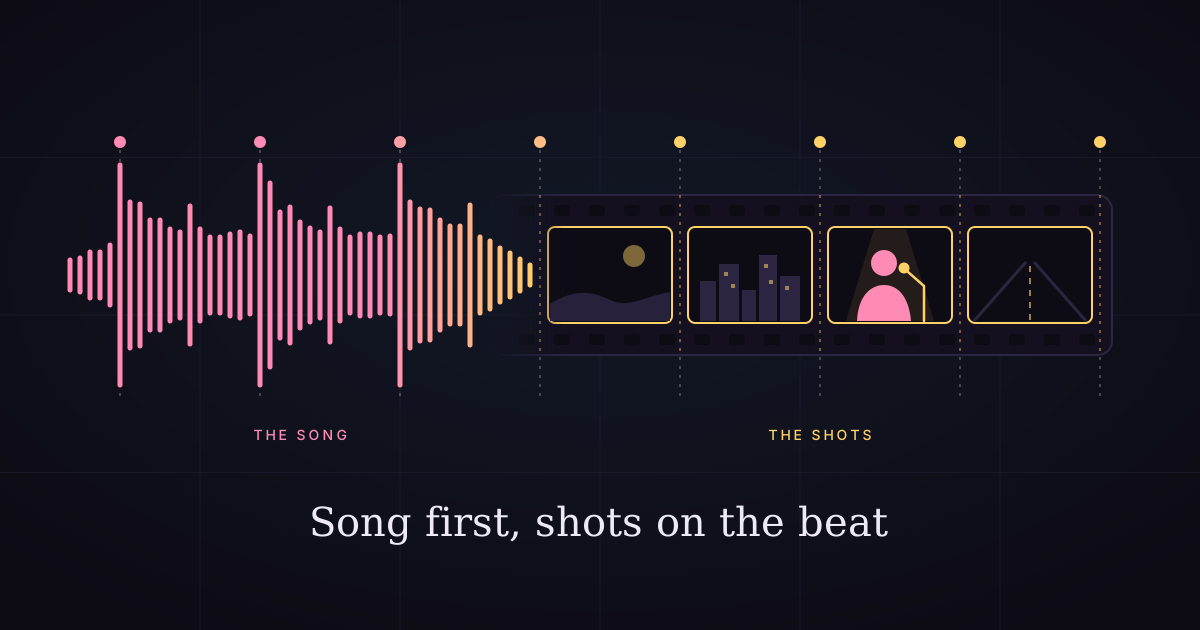
Write the song first, map every shot to a number of bars, and only then generate video. That's the Beat-Sheet Method.
Why the song comes first
Video models usually make clips of set lengths, such as 5, 8, 10 or 15 seconds. Songs are measured in bars. If you generate video before you know the song's tempo and sections, your cuts will fight the music.
Why bars, not seconds
A bar is the musical unit your ear tracks without trying. Cuts that land on the first beat of a bar (the downbeat) feel right. Cuts in the middle of a bar feel random, even when viewers can't say why.
What the beat sheet looks like
A beat sheet is a simple table: section of the song, start time, number of bars, and the shot you'll put there. You'll build one in Step 2.

Now, the eight steps.
Step 1: Make the song
Generate the song before anything else, and choose a length between one and two minutes for your first video. A short song keeps the number of shots, and the cost, manageable.
Pick a mode
In Describe mode, you write one sentence (genre, mood and topic) and the AI writes the lyrics and the music. In Lyrics mode, you paste your own words and set the title, the style, the voice and a length: 30 seconds, or 1 to 4 minutes.
For a music video, use Lyrics mode. You'll know every word, which makes it easier to plan shots for each line, and you control the length.
Tag the sections
Put section tags such as [Verse] and [Chorus] on their own lines above the lyrics they belong to. Clear sections in the song make clear sections in your beat sheet.
Choose from two takes
Every run costs 20 credits and returns two different takes of the song. Pick the one whose chorus has the clearest, loudest vocal: it makes the singing shots in Step 4 much easier.

Each song comes with its own cover art, like this one from an acoustic pop test run. Use it as a style reference for your visuals.
Step 2: Find the tempo and build your beat sheet
Find the song's tempo (BPM), convert bars to seconds, and write down which shot goes in each section. This 10-minute step saves you hours of re-generating.
Find the BPM
Play the song and tap along in any free BPM counter, or let your video editor's beat detection find it. Most pop songs sit between 90 and 130 BPM.
Convert bars to seconds
In 4/4 time, one bar lasts 4 beats. The formula is simple: seconds per bar = 240 ÷ BPM.
| BPM | 1 bar | 2 bars | 4 bars |
|---|---|---|---|
| 80 | 3.0 s | 6.0 s | 12.0 s |
| 90 | 2.7 s | 5.3 s | 10.7 s |
| 100 | 2.4 s | 4.8 s | 9.6 s |
| 120 | 2.0 s | 4.0 s | 8.0 s |
| 128 | 1.9 s | 3.8 s | 7.5 s |
| 140 | 1.7 s | 3.4 s | 6.9 s |
At 120 BPM, a 4-bar phrase is exactly 8 seconds, the length of one Veo 3.1 clip. At other tempos, generate the next length up and trim to the bar.
Write the beat sheet
Here's a 60-second example at 120 BPM:
| Time | Section | Bars | Shot |
|---|---|---|---|
| 0:00–0:08 | Intro | 4 | B-roll: wide establishing shot |
| 0:08–0:24 | Verse | 8 | B-roll: two 8-second story shots |
| 0:24–0:32 | Pre-chorus | 4 | B-roll: close-up detail |
| 0:32–0:44 | Chorus | 6 | Performance: singer, part 1 |
| 0:44–0:52 | Chorus | 4 | B-roll: energy shot |
| 0:52–1:00 | Outro | 4 | Performance: singer, last line |
Put performance shots on the chorus. It's the part viewers remember, and it's usually the clearest vocal.
Step 3: Create your singer
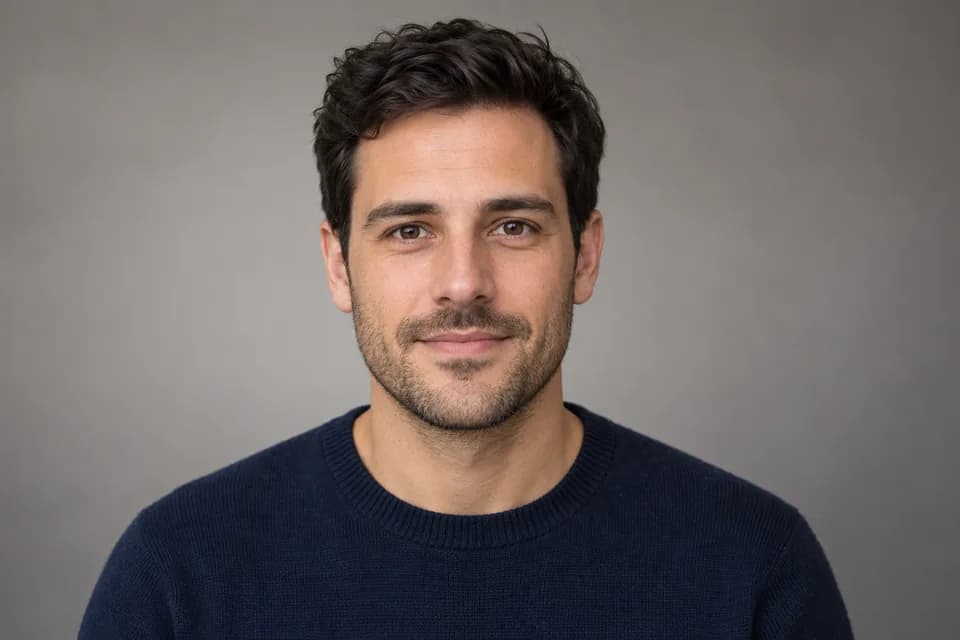
Make one portrait of your singer and reuse it for every shot. One image is what keeps the same face from the first frame to the last.
What the portrait needs
The performance tools in Step 4 animate a face from a photo, so the portrait has to be easy to animate:
- Face toward the camera, or only slightly turned
- Mouth closed and relaxed, with a neutral or soft expression
- Even light on the face and no hair or hands across the mouth
- One person in the frame
- At least 300 pixels on each side; bigger is better
How to make it
Generate the singer with text to image, or use the AI character generator if you want a stylized look. A portrait costs about 5 to 10 credits on most image models. Make a few, pick one, and stick with it.
Keep the character consistent
Use the same portrait as the start image for B-roll shots that show the singer. Our character consistency guide covers the rest of the tricks.
Step 4: Make the singer perform
Trim the chorus vocal to a short audio file, then animate the portrait with it. You have two ways to do it.

Route A: talking photo (one step)
Upload the portrait and the vocal clip to the AI talking photo tool. The face sings the words, with small head and shoulder movement.
- Length: up to 15 seconds on Standard (720p) and HD (1080p), 30 seconds on Cinematic (1080p)
- Price: 8, 16 or 27 credits per second of audio
- Audio: MP3, WAV, M4A or AAC, up to 10 MB
The video is about as long as the audio you upload, so trim the audio to the bars on your beat sheet.
Route B: animate, then lip sync (two steps)
First, generate a performance clip from the portrait with a prompt like "singer sways and sings into a vintage microphone, stage lights." Then upload that clip and the vocal to AI lip sync, which redraws the mouth to match.
- Use it when you want camera moves, gestures or a stage around the singer
- Price: the video clip, plus 8 credits per second of lip sync
- Video: 2–60 seconds, with a clear face
Tips for singing (it's harder than speech)
Singing is harder to animate than talking, because vowels are held longer and the backing track competes with the voice.
- Pick the cleanest vocal section you have, where the voice is louder than the instruments.
- Trim silence at the start and end; you pay for every second.
- Test 5–10 seconds first on Standard before you run a full chorus on a higher tier.
- If the lips follow the drums, try a section with sparser backing, or a vocal-only version of the clip from an audio editor.
A talking photo made from one portrait and a 6.5-second line of speech, on Standard. A sung chorus works the same way.
Step 5: Generate the B-roll
Generate every B-roll shot as image-to-video from a still that matches your song's look, with one camera move per shot. Short, single-move shots cut together far better than long, busy ones.
Start from an image
Generate a still for each shot first (a few credits each), then animate it with image to video. Starting from an image locks the composition and the color palette, so shots look like they belong to the same video.
One move per shot
Write the camera move into the prompt: "slow push-in," "orbit left," "static, wind moves the curtains." One move per clip keeps cuts clean.
Choose a model by budget
| Budget | Model | Credits per 8-second shot |
|---|---|---|
| Lowest | Veo 3.1 Lite (720p) | 30 |
| Low | Seedance 2 Mini (480p) | 40 |
| Balanced | Kling 3.0 std (720p) | 112 |
| High | Kling 3.0 pro (1080p) | 144 |
Veo 3.1 always generates sound and Seedance 2 Mini can; you'll mute the clips under the song anyway. For every model's price and length, see 26 AI video models compared.
Generate a little extra
When a slot doesn't match a clip length, generate the next length up and trim to the bar in the edit. At 120 BPM, 8-second clips fit 4-bar slots exactly, which is why the costs below use them.
Step 6: Edit on the beat
Lay the song down first, then cut every shot on a downbeat. Any editor works: CapCut, DaVinci Resolve, Premiere Pro or iMovie.
Build the timeline
- Import the song and place it on the timeline first.
- Add markers on every downbeat where a section starts. Some editors can place beat markers for you; in others, tap the marker key as the song plays.
- Drop shots in order from your beat sheet, trimming each to its marker.
- Mute the clips' own audio so only the song plays.
Cutting tips
- Cut on the downbeat, not on the lyric.
- Change shots faster in the chorus and slower in the verse.
- Hold the performance shot through the line it's singing; never cut mid-word.
- Match motion across cuts: if one shot pushes in, the next can start close.
Step 7: Upscale and export
Edit at 720p if that's what your shots are, then upscale the finished video once. It's cheaper than generating every shot at a higher resolution.
Upscale the final cut
Upload the edited video to the AI video upscaler: MP4 or MOV, up to 60 seconds and 100 MB. Choose 1080p for social (3 credits per second) or 4K for a YouTube master (9 credits per second). The song's audio is copied over unchanged.
For videos longer than 60 seconds, upscale in sections. For when to upscale and when to render native, see native 4K vs upscaled AI video.
Export for each platform
- YouTube: 16:9, 1080p or 4K
- TikTok, Reels, Shorts: 9:16 at 1080 × 1920; plan vertical framing from Step 5
- Instagram feed: 4:5 or 1:1
Step 8: Publish the right way
Disclose the AI music when it's the focus of the video, and keep a record of how you made it. A music video is exactly the case YouTube's AI disclosure rules describe.
Disclose on YouTube
YouTube asks creators to disclose AI-generated content that "creates music that's the main focus of the video." Disclosing doesn't limit reach or monetization. Our guide on using AI music on YouTube covers disclosure, copyright and Content ID in detail.
Keep your records
Save the song's lyrics and settings, your plan, the date, and every clip. If a claim or question ever comes up, you'll have the answer in five minutes.
Respect real people
Don't make a song that imitates a real singer, and don't animate a real person's face without their permission. Song prompts that name real artists are refused, and both performance tools ask you to confirm you have the right to use the face and the voice.
What a 60-second AI music video costs
A complete 60-second AI music video costs between about 520 and 1,850 credits, depending on the models you choose. Here are three versions of the beat sheet above: 20 seconds of performance (the chorus and the last line) and 40 seconds of B-roll in five 8-second shots.

| Part | Budget | Standard | Premium |
|---|---|---|---|
| Song (2 takes) | 20 | 20 | 20 |
| Singer portrait | 10 | 10 | 28 |
| B-roll (5 × 8 s) | Veo 3.1 Lite: 150 | Kling 3.0 pro: 720 | Kling 3.0 pro: 720 |
| Performance (20 s) | Standard: 160 | HD: 320 | Cinematic: 540 |
| Upscale (60 s) | To 1080p: 180 | Not needed (native 1080p) | To 4K: 540 |
| Total | 520 credits | 1,070 credits | 1,848 credits |
| ≈ US dollars (Starter) | $6.90 | $14.20 | $24.52 |
Plan for retakes
Add 30–50% for shots you'll redo. Failed generations are refunded automatically, so you only pay for takes that finish. For the full math on iteration, see how much AI videos really cost.
Where to save
- Draft B-roll at 480p or 720p, then upscale the final cut.
- Keep performance shots short: one chorus, not the whole song.
- Reuse stills: one good image can anchor two or three shots.
Common problems and fixes
Most AI music video problems come from the plan, not the models. Here are the five we see most.
The cuts feel off-beat
You cut on the lyric instead of the downbeat. Re-place your markers on beat 1 of each bar and snap every cut to them.
The singer's mouth doesn't match
The backing track is too loud in that section, or the portrait has an open mouth. Use a cleaner vocal section and a closed-mouth portrait.
The singer looks different in every shot
You generated B-roll of the singer from text alone. Start every singer shot from the same portrait.
Shots don't look like the same video
Each shot used a different style. Generate stills with the same style words and color palette, and match the song's cover art.
The video runs long
The song is longer than the beat sheet. Set a length in Lyrics mode, or fade out after the last chorus.
FAQ
Can AI make a full music video?
Yes. AI can write and sing the song, generate every shot, and animate a singer to perform the lyrics. You still plan the shots and edit them together, which is where the Beat-Sheet Method helps.
How do I make an AI character sing?
Trim up to 15 seconds of the song's vocal (30 on the Cinematic tier), then animate a front-facing portrait with it using an AI talking photo tool. For more movement, generate a clip of the singer first and lip sync it to the vocal.
How long does it take to make an AI music video?
A 60-second video takes about two to four hours the first time: a few minutes for the song, an hour of generating shots, and an hour or two of editing. It gets faster once you have a beat sheet template.
How much does an AI music video cost?
On Imgveo, a 60-second video costs about 520 credits on a budget setup, 1,070 at native 1080p and about 1,850 for a premium 4K version. That's about $6.90, $14.20 and $24.52 on the Starter plan.
Can I upload an AI music video to YouTube?
Yes. Use a song made on a plan that allows commercial use, and disclose the AI-generated music when it's the main focus of the video, as YouTube's policy asks.
What's the best AI model for music video B-roll?
For budget drafts, Veo 3.1 Lite and Seedance 2 Mini. For consistent characters at 1080p, Kling 3.0. For long, single takes, Wan 3.0 or Seedance 2.5, which reach 30 seconds per clip.
The bottom line
To make an AI music video, write the song first, plan every shot in bars, put your singer on the chorus and cut on the downbeat. That's the Beat-Sheet Method, and it turns a pile of AI clips into something that feels like a real music video.
Start with the soundtrack: make your song with the AI music generator, then build your beat sheet around it.
Related reading
Author

Categories
More Posts

Can ChatGPT Upscale Images? We Tested It (2026 Answer)
ChatGPT can't truly upscale — it regenerates a similar image capped near 1024px, and faces or text may change. We tested it against a real 4x upscaler.

Best AI Video Generators With Native Audio (2026 Compared)
Which AI video generators produce sound — dialogue, SFX, ambience, music — in one pass? We compare Veo 3, Kling 3, Kling 2.6 and Seedance 2, plus what audio adds to the bill.

AI Video Credits Explained: What 1 Clip Costs on 5 Platforms
Pollo, Higgsfield, PixVerse, Kling and Imgveo all sell credits — but a credit isn't a clip. Here's the exchange-rate math for what one 5-second video really costs.