LogoImgveo AI
  • Home
  • Studio
  • AI Music
  • Pricing
  • Blog
LogoImgveo AI

Create AI videos from text, images, and start-end frames.

Email
AI Video Tools
  • All-in-One AI Generator
  • AI Video Effects
  • AI Video Generator
  • Text to Video
  • Image to Video
  • First & Last Frame
  • AI Product Video Generator
  • Video Upscaler
  • AI Lip Sync
  • AI Talking Photo
  • AI Music Generator
  • AI Hug Video Generator
  • AI Kissing Video Generator
  • AI Dance Video Generator
  • AI Fight Generator
  • Earth Zoom Out AI
  • AI Squish Effect
  • AI Handshake Generator
AI Image Tools
  • Text-to-Image AI
  • AI Headshot Generator
  • AI Anime Generator
  • AI Product Photo Generator
  • AI Character Generator
  • AI Baby Generator
  • AI Image Editor
  • AI Clothes Changer
  • AI Muscle Generator
  • AI Action Figure Generator
  • AI Plush Toy Generator
  • Image Upscaler
  • Background Remover
  • Image to Layers
  • AI Interior Design
Video Models
  • Seedance 2
  • Seedance 2.5
  • Kling 2.6
  • Kling 3.0
  • Kling 4.0
  • Veo 3.1
  • Hailuo 3
  • Hailuo 2.3
  • Wan 3.0
  • Grok Imagine
  • Wan 2.7
Image Models
  • GPT Image 1.5
  • GPT Image 2
  • GPT Image 2.5
  • Nano Banana
  • Nano Banana 2
  • Nano Banana Pro
  • Seedream 5.0
  • Seedream 5.5
  • FLUX.2
  • Qwen Image 3.0
  • Z-Image
  • All AI Models
Compare
  • Veo 3.1 vs Kling 3.0
  • Seedance 2.0 vs Veo 3.1
  • Nano Banana 2 vs Seedream
  • Veo 3 vs Kling 3 vs Seedance 2
  • Kling 3 vs Seedance 2
  • Kling 4.0 vs Kling 3.0
  • Kling 4.0 vs Seedance 2.5
  • GPT Image 2.5 vs Nano Banana Pro
  • Sora Alternatives
  • Pollo AI Alternative
Company
  • About Us
  • Contact Us
  • Blog
  • Pricing
  • Privacy Policy
  • Terms of Service
© 2026 Imgveo AI All Rights Reserved.

Wan 3.0 AI Video Generator

Wan 3.0 from Alibaba makes one take of up to 30 seconds and adds the sound in the same pass. Write a prompt or start from a photo.

AI Generated Content
Commercial Use Ready
HD 1080P Output

W01

Wan 3.0 prompts that include the sound

Every idea names what you hear as well as what you see. Click one to load it into the generator, then make it yours.

Illustration of a Wan 3.0 prompt idea: a violinist playing under a lamp post on a rainy night streetIllustration

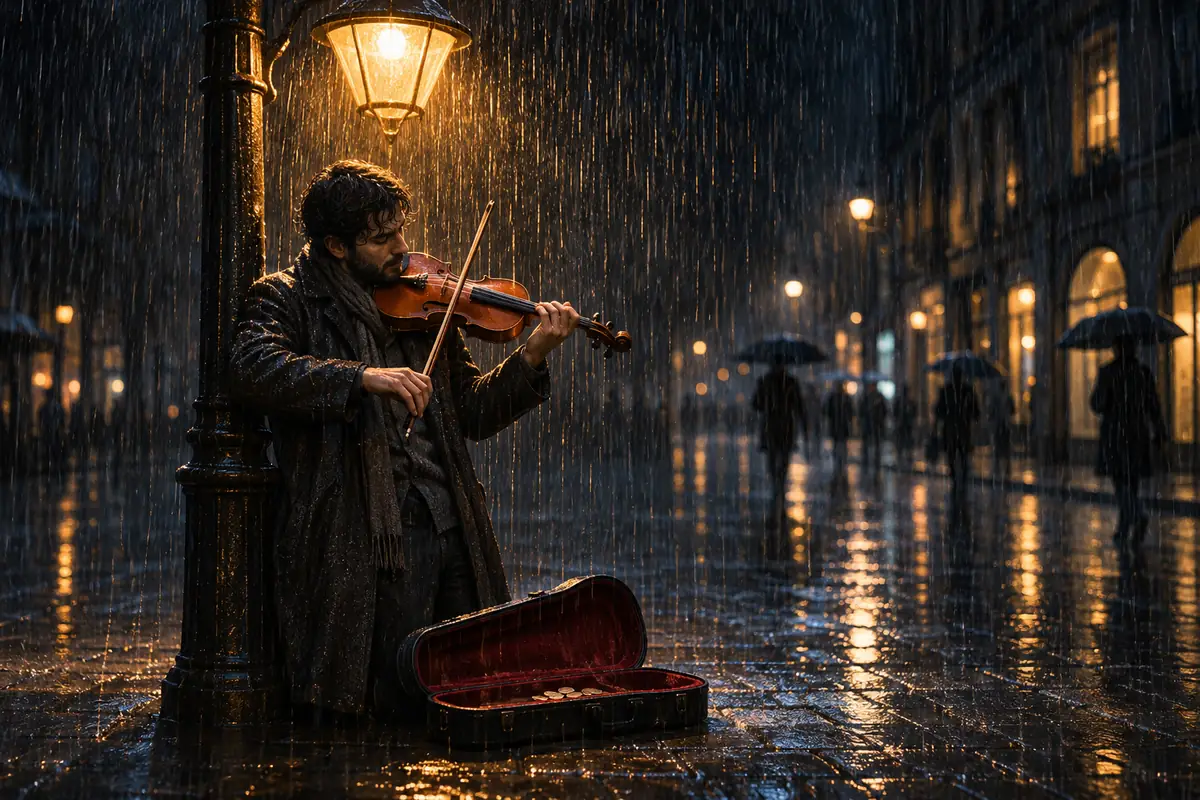
Violinist in the rain

Text to video · 16:9 · 5 s

Prompt: Night street in heavy rain: a violinist plays a slow melody under a lamp post, umbrellas pass behind him, the camera pushes in slowly. Sound: violin melody, steady rain on the pavement, distant footsteps
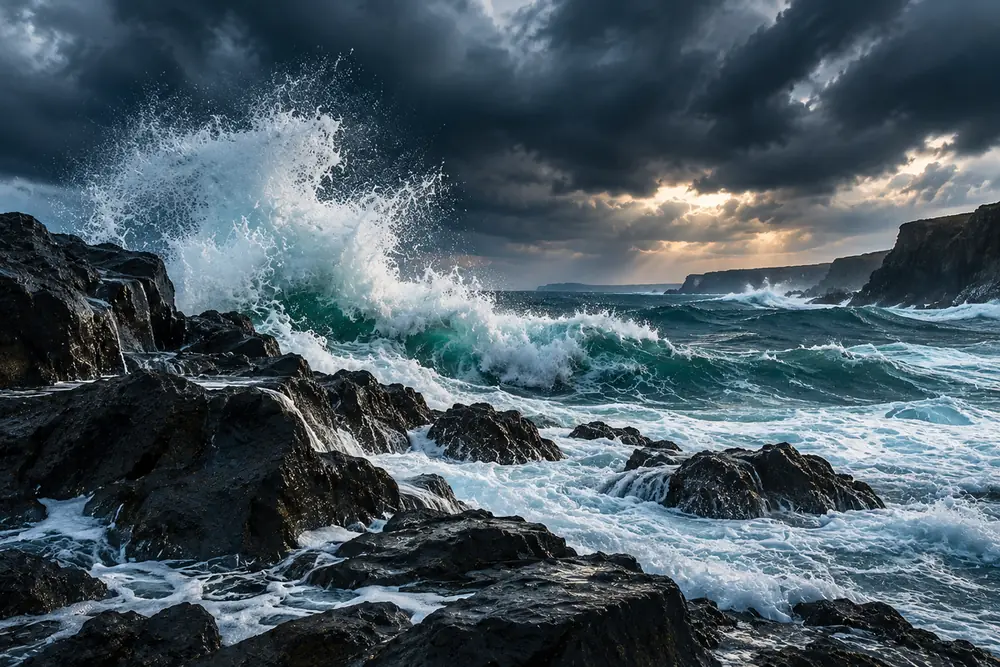

Illustration of a Wan 3.0 prompt idea: storm waves crashing on black rocks under dark cloudsIllustration

Storm on the coast

Text to video · 16:9 · 5 s

Prompt: Wide shot of a stormy coast: big waves crash against black rocks and throw spray into the air, dark clouds roll overhead, a beam of light breaks through. Sound: crashing waves, howling wind, low thunder at the end

Illustration of a Wan 3.0 prompt idea: a busy night market with steaming food stalls and red lanternsIllustration

Night market walk

Text to video · 16:9 · 5 s

Prompt: Handheld walk through a busy night market: steam rises from food stalls under red lanterns, a cook turns skewers on a grill, people pass by. Sound: sizzling grill, crowd chatter, a vendor calling out once

Illustration of a Wan 3.0 prompt idea: a colorful hot air balloon rising over misty hills at sunriseIllustration

Balloon at sunrise

Text to video · 16:9 · 5 s

Prompt: Slow aerial shot at sunrise: a colorful hot air balloon rises over green hills and morning mist, the burner flares once. Sound: soft wind, the roar of the burner, birds waking up

W02

What is Wan 3.0?

Wan 3.0 is Alibaba's AI video model, released in August 2026. It turns a prompt, a photo, or a first and last frame into one continuous take of up to 30 seconds, and it makes the sound in the same pass, so rain, footsteps and engines follow what happens on screen.

On Imgveo, Wan 3.0 renders at 480p, 720p or 1080p and costs 16 credits per second at 720p. Sound is part of that price, not an add-on, and failed clips are refunded.

Wan 3.0 Prime is the faster version of the same model. It has the same lengths, resolutions and sound, and costs more per second, so it suits deadlines better than drafts.

⁨0 s⁩⁨15 s⁩⁨30 s⁩PictureSound

Wan 3.0 on Imgveo today

What you can generate right now. Every number comes from the generator's own settings.

Longest take
30 secondsIn every mode, first and last frame included
Resolution
480p, 720p, or 1080pNo 4K
Sound
Made in the same passNo extra credits
Ways to start
Text, a photo, or first and last frame
Aspect ratios
16:9 · 9:16 · 1:1 · 4:3 · 3:4
Price
From 8 credits/s16 credits/s at 720p

W03

A real Wan 3.0 clip made on Imgveo

Not an illustration: we generated this clip on Imgveo with the prompt and settings below, and nothing was edited afterwards. Turn the sound on.

Made on Imgveo

Prompt

A dog barks twice at a passing bicycle on a quiet street, birds chirping, a car horn in the distance

Settings
Text to video · 1:1 · 480p · 10 s
Cost
80 credits

The prompt asks for two barks, birdsong and a car horn in the distance. Play it with sound and judge how closely Wan 3.0 followed.

W04

What's new in Wan 3.0 vs Wan 2.7

The same family, twice the length, and sound for the first time. Both models run on Imgveo, and every row below comes from the generator's settings.

Wan 2.7⁨15 s · Silent⁩Wan 3.0⁨30 s · With sound⁩
Wan 2.7Wan 3.0
Longest take15 s30 s
Resolution720p / 1080p480p / 720p / 1080p
SoundNoneMade in the same pass
First and last frameUp to 5 sUp to 30 s
Credits per second, 720p1616

Twice the length

One take now runs up to 30 seconds instead of 15, so a scene can build and land without a cut.

Sound in the same pass

Wan 2.7 clips were silent. Wan 3.0 adds ambience and effects that follow the picture, at no extra cost.

Long first-to-last-frame shots

First and last frame mode now runs to 30 seconds; on Wan 2.7 it stopped at 5.

A cheaper 480p tier

480p at 8 credits per second lets you test an idea for half the 720p price.

W05

Wan 3.0, Wan 3.0 Prime or Wan 2.7?

All three run on Imgveo. Wan 3.0 and Prime share every setting; Prime is faster and costs more. Wan 2.7 stays for silent clips.

Wan 3.0

The default: drafts at 480p, finished clips at 720p or 1080p, up to 30 seconds with sound.

5 s at 720p: 80 credits

Wan 3.0 Prime

The faster version. Pick it when the turnaround matters more than the credits.

5 s at 720p: 130 credits

Wan 2.7

Silent clips of up to 15 seconds at 720p or 1080p, for jobs that already work well on it.

5 s at 720p: 80 credits

Wan 3.0Wan 3.0 PrimeWan 2.7
Longest take30 s30 s15 s
SoundYesYesNo
Credits per second, 480p813—
Credits per second, 720p162616
Credits per second, 1080p325124

Credits per second of video. Render times depend on the length, the resolution and the queue.

W06

How to make a Wan 3.0 video in 3 steps

No editing software and no setup: the generator at the top of this page does the whole job.

01

Choose the model and how to start

Pick Wan 3.0 or Prime, then write a prompt, upload one photo as the first frame, or upload a first and a last frame.

02

Describe the picture and the sound

Say what the camera sees and what happens, then add a short sound line. The Sound Cue method below shows how.

03

Set the length and generate

Choose 5 to 30 seconds and 480p, 720p or 1080p; the button shows the exact credits. Download the MP4 with its soundtrack.

W07

The Sound Cue method: prompts that sound right

Wan 3.0 builds the soundtrack from your words. Leave sound out and it guesses; name it in four layers and the clip sounds the way you pictured it.

PictureActionAmbienceSpot sounds
  1. 01

    Picture

    The shot and the place: "Night street in heavy rain, a violinist under a lamp post."

  2. 02

    Action

    What moves and when: "He plays a slow melody while umbrellas pass behind him."

  3. 03

    Ambience

    The bed of sound that never stops: "steady rain, distant traffic."

  4. 04

    Spot sounds

    One or two short events tied to a moment: "a car door slams once near the end."

The same idea, before and after

Vague

A beach at sunset, relaxing vibe

With sound cues

Wide shot of a beach at sunset, small waves roll in, a dog runs along the waterline. Sound: soft waves, a dog barking twice, gulls in the distance

Four rules for the sound line

Name sounds, not moods

"Rain on a tin roof" gives the model something to make. "Moody atmosphere" does not.

Give spot sounds a count or a moment

"Barks twice" or "thunder at the end" places the sound; "barking" can fill the whole clip.

Three or four sounds at most

A crowded sound line turns into noise. Keep one ambience and one or two events.

Put the sound last

End the prompt with "Sound: …" so the soundtrack never gets mixed up with what should be on screen.

W08

A Wan 3.0 prompt formula and four templates

Shot, subject and action, setting and light, then sound. Four parts, in that order, cover almost any Wan 3.0 clip.

  1. 01

    Shot

    Shot size and camera move first: wide, close-up, handheld, aerial or locked-off.

  2. 02

    Subject and action

    Who or what is on screen and what they do. Plan one beat for every 5 to 10 seconds.

  3. 03

    Setting and light

    Where and when: a rainy street at night, a kitchen at noon, hills at sunrise.

  4. 04

    Sound

    One ambience and one or two spot sounds, after "Sound:" at the end.

Four templates to copy

Replace the words in brackets. Each template is written for the length shown.

Food ad

Text to video · 16:9 · 10 s

[Close-up, slow push-in]: [dish] being [cooked or served] in [kitchen or restaurant], [steam, flames or sauce detail]. Ends on the finished plate. Sound: [cooking sound], [kitchen ambience], [one spot sound]

City mood clip

Text to video · 16:9 · 15 s

[Handheld walk] through [place] at [time of day], [weather], [people or traffic detail]. The camera turns toward [landmark]. Sound: [ambience], [distant sound], [one spot sound]

Photo to moment

Image to video · 9:16 · 10 s

The person in the photo [action] in [setting]. The camera [move]. At the end they [second action]. Sound: [ambience], [a sound tied to the action]

30-second story

Text to video · 16:9 · 30 s

[One continuous tracking shot]: [subject] [first beat]. Then [second beat]. Then [third beat]. Ends with [final image]. Sound: [ambience throughout], [spot sound at the second beat], [spot sound at the end]

Three mistakes that waste credits

01

Leaving the sound out

Without a sound line Wan 3.0 picks its own soundtrack. Name at least the ambience.

02

Too many beats in 5 seconds

Three events in a 5-second clip feel rushed. Save multi-beat stories for the longer lengths.

03

Expecting 4K

Wan 3.0 stops at 1080p. For a 4K file, upscale the finished clip instead of re-rendering.

W09

Wan 3.0 price: credits per clip

You pay per second of video, and the sound costs nothing extra. Every number below comes from the same code that prices the generator.

Length480p720p1080pPrime 720p
Per second8163226
5 seconds4080160130
10 seconds80160320260
15 seconds120240480390
20 seconds160320640520
30 seconds240480960780

Credits per clip. Sound is included.

80⁨5 s⁩160⁨10 s⁩240⁨15 s⁩320⁨20 s⁩480⁨30 s⁩

How the price works

Credits = seconds × the per-second rate. A 10-second 1080p clip costs 320 credits; the same clip on Prime costs 510.

What a plan buys

The Starter plan's 1,500 monthly credits cover about 18 five-second Wan 3.0 clips at 720p, or 37 at 480p.

Failed clips are refunded

If a generation fails, the credits go back to your balance automatically. You only pay for the videos you receive.

For the full cost math, including retries, read AI video credits explained

W10

What you can make with Wan 3.0

Four jobs where a long take with its own soundtrack saves the most work. The pictures illustrate each idea; they are not Wan 3.0 output.

Illustration of a restaurant ad idea: a chef tossing vegetables in a flaming wokIllustration

Restaurant and food ads

A flaming wok, rising steam and kitchen noise sell a dish better than a silent loop.

Illustration of a family moment: a laughing child on a swing in a sunny backyardIllustration

Family and lifestyle moments

Turn a backyard photo into a moving scene with laughter and birdsong, ready for a reel.

Illustration of an event recap: a runner breaking the finish tape as the crowd cheersIllustration

Event and sports recaps

A finish line and a cheering crowd, with up to 30 seconds to build to the moment.

Illustration of a travel stay: a snowy log cabin with smoke rising from the chimney at sunsetIllustration

Travel and holiday stays

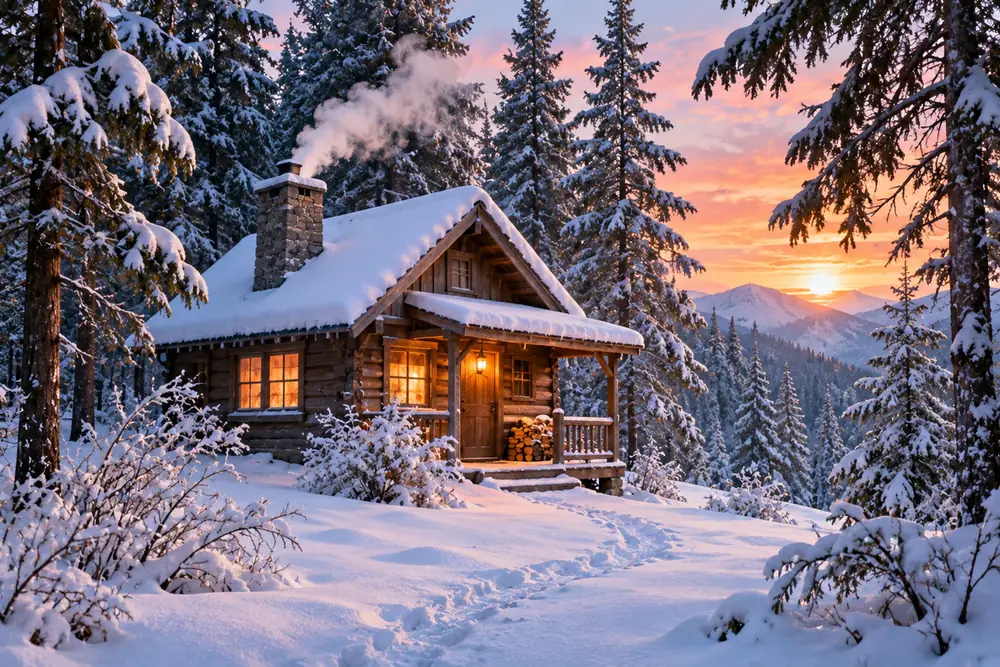
A snowy cabin at dusk with the wind and the crackle of a fire, for a listing or a teaser.

W11

Wan 3.0 FAQ

Go deeper: guides from our blog

  • Best AI Video Generators With Native Audio (2026 Compared)
  • How to Make Longer AI Videos (30s+) With Start & End Frames
  • 26 AI Video Models Compared: Specs & Prices (Oct 2026)

Want every AI model in one place?

Open Imgveo Studio to run this and every other AI video and image model from a single workspace, with one credit balance.

Open in Studio

W12

More AI video models and tools

Compare Wan 3.0 with other models, or take a finished clip further.

Wan 2.7The previous Wan model: silent clips up to 15 seconds at 720p or 1080p.Seedance 2.5Another long-take model, with native audio and first and last frames.All AI modelsEvery video and image model on Imgveo, with live prices and specs.Video upscalerTake a finished 1080p clip to 2K or 4K.

W13

Make your first Wan 3.0 video

Describe the picture and the sound, choose 5 to 30 seconds, and generate. Failed clips are refunded, and every video downloads without a watermark.

Start creatingSee pricing

Wan is a trademark of Alibaba Group. Imgveo is an independent platform and is not affiliated with Alibaba.